Staff rota and shifts
Plan who works when, publish the week to your team, let staff pick up open shifts and swap shifts, and compare the hours planned with the hours worked.
You will find it under HRM → Shift types, HRM → Rota, HRM → Shift requests and HRM → Rota report. Staff see theirs under Me → My shifts.
Note: Planning the rota and approving requests needs the Manage HR permission. Everyone linked to an employee record sees their own shifts.
Shift types
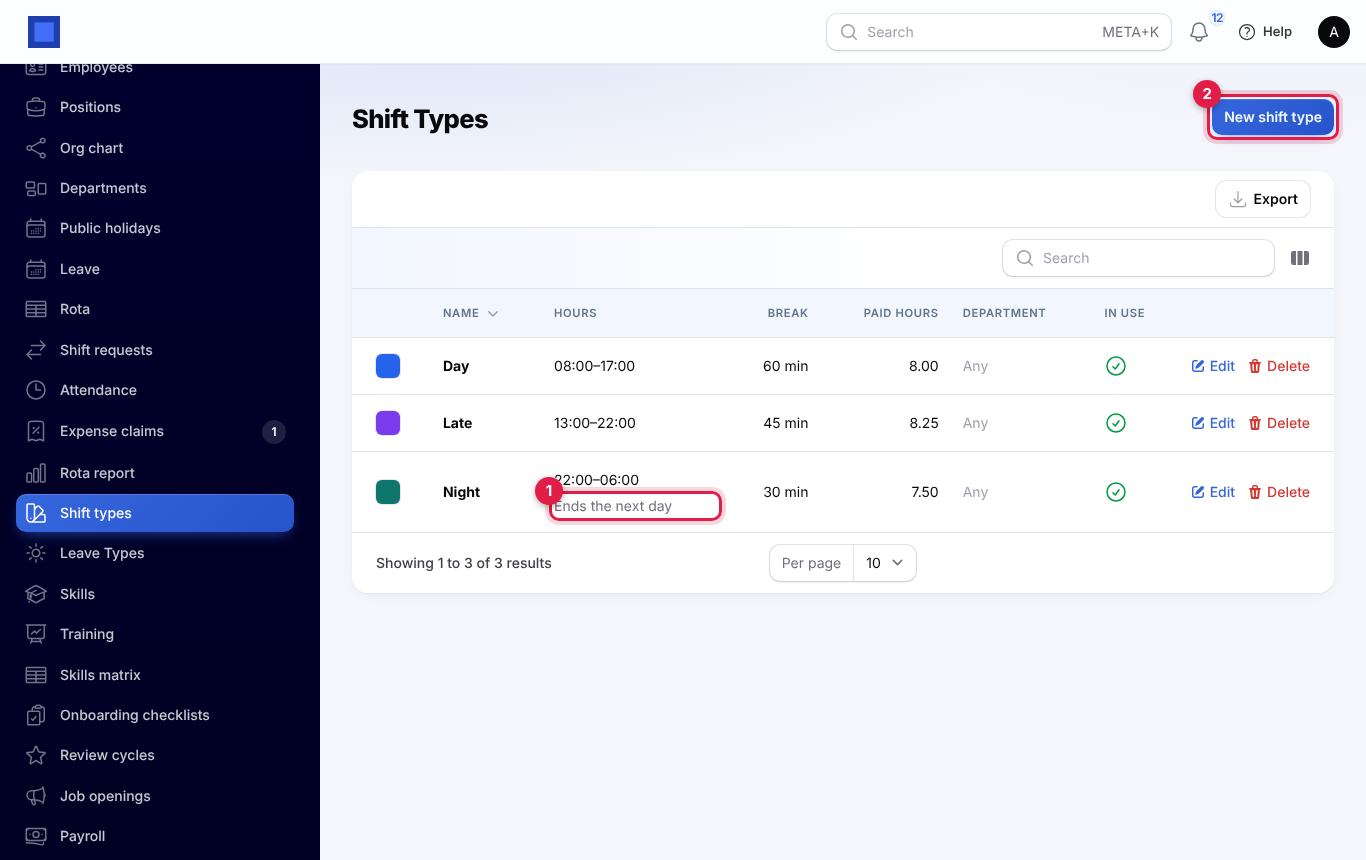
Under HRM → Shift types, press New shift type (marker 2) and give it:
- a name;
- start and end times;
- unpaid break minutes;
- a colour;
- optionally a department or a location.
A shift that ends at or before its start time ends the next morning (marker 1).
Plan the week
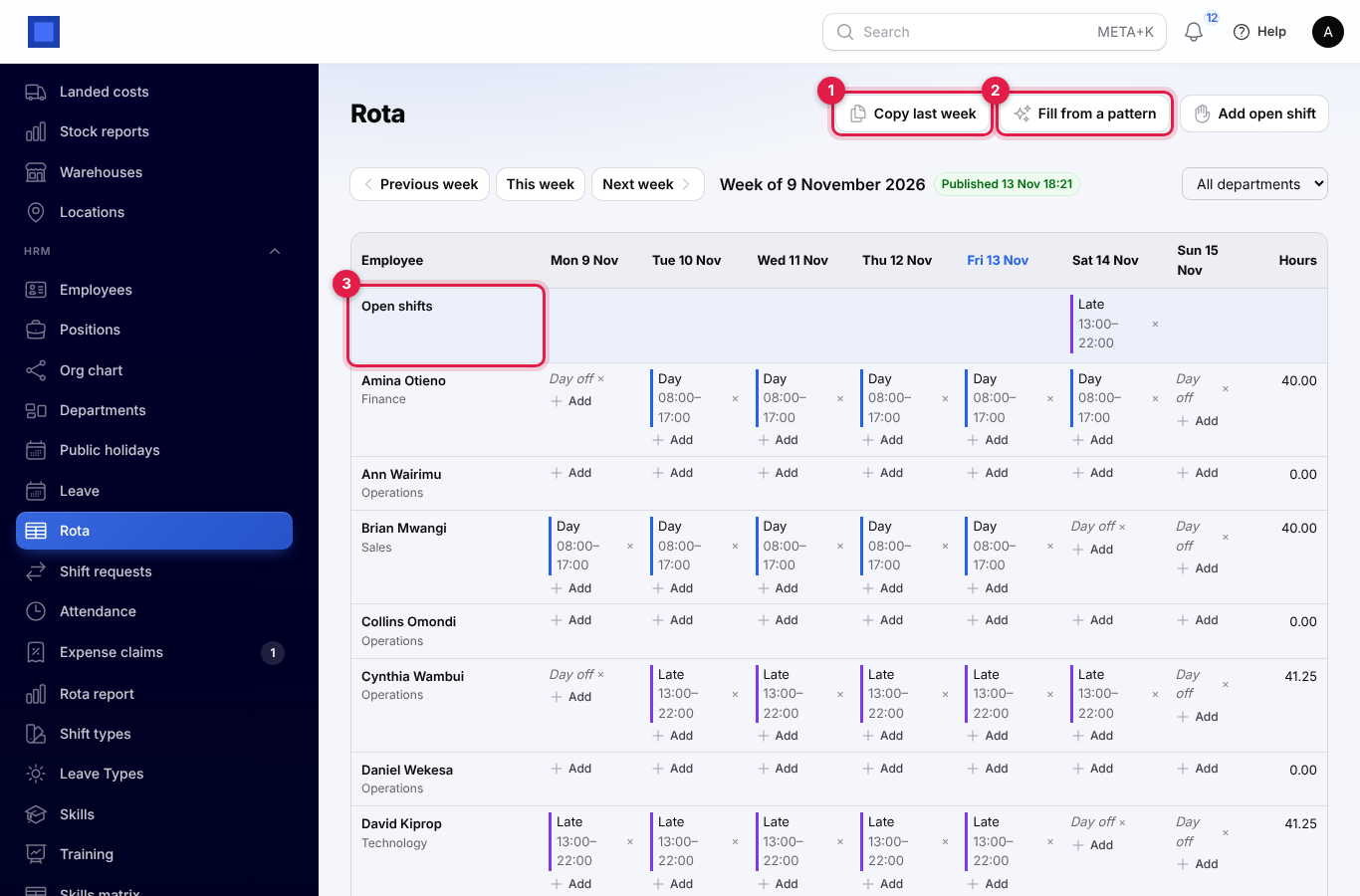
HRM → Rota shows a week, with employees down the side and days across the top.
- Press Add in a cell to give someone one or more shifts, or mark the day off. The × removes a shift.
- Copy last week (marker 1) repeats the previous week, skipping days already planned, approved leave and clashes.
- Fill from a pattern (marker 2) gives one shift type on chosen weekdays to chosen people.
- Add open shift puts up a shift nobody has yet. It shows in the Open shifts row (marker 3).
- Days on approved leave show On leave and cannot be given a shift; public holidays are shaded.
- The Hours column adds up each person's week and turns red over the weekly limit.
The week stays a draft that only managers see until you press Publish week. Then everyone on it is told. Changes after publishing go live at once, and the people affected are told again.
Open shifts and swaps
- In Me → My shifts, staff see their next shifts and their week, and can claim an open shift. The first claim wins straight away, or a manager approves it, depending on your settings.
- Ask to swap offers one of your shifts to a colleague, with one of theirs in return or not. The colleague accepts, then a manager approves.
- Managers approve or reject claims and swaps in HRM → Shift requests.
Attendance and the report
When someone has a published shift, lateness at check-in is measured from the shift start. Time worked beyond the shift is counted as overtime. Night shifts check out the next morning.
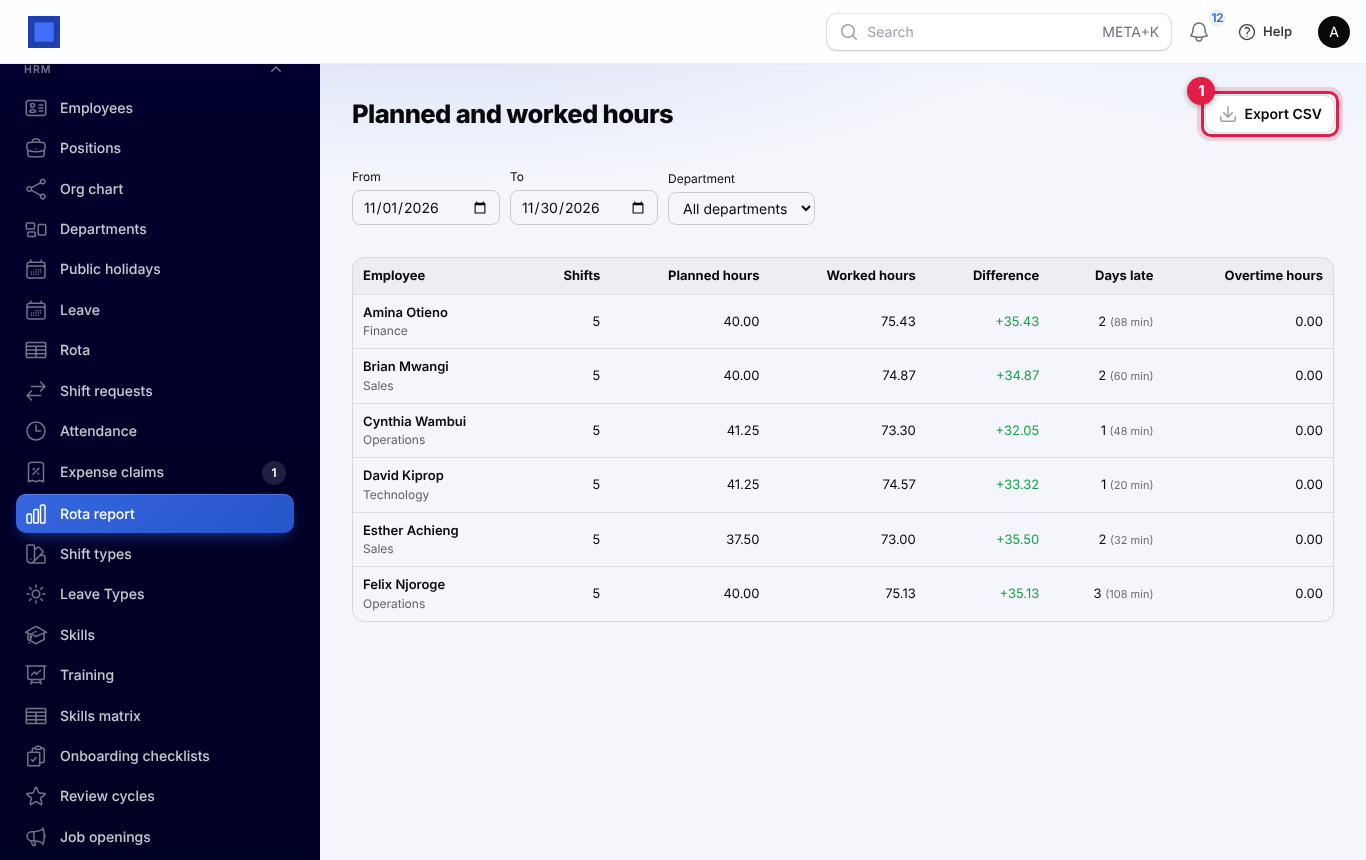
HRM → Rota report compares, for each person and any dates:
- shifts and planned hours;
- hours worked;
- days late;
- overtime.
Export CSV (marker 1) downloads it.
Settings
Under Settings → Preferences → HRM:
- the weekly hours limit;
- the notice needed for swaps;
- whether open shift claims need a manager's approval.