Recurring bills and petty cash
Recurring bills make the bills you pay on a schedule, such as rent, internet or a service contract, so nobody has to type them in. Petty cash keeps the cash box in the office honest: what was spent, what was topped up, and what is really in the box.
Recurring bills
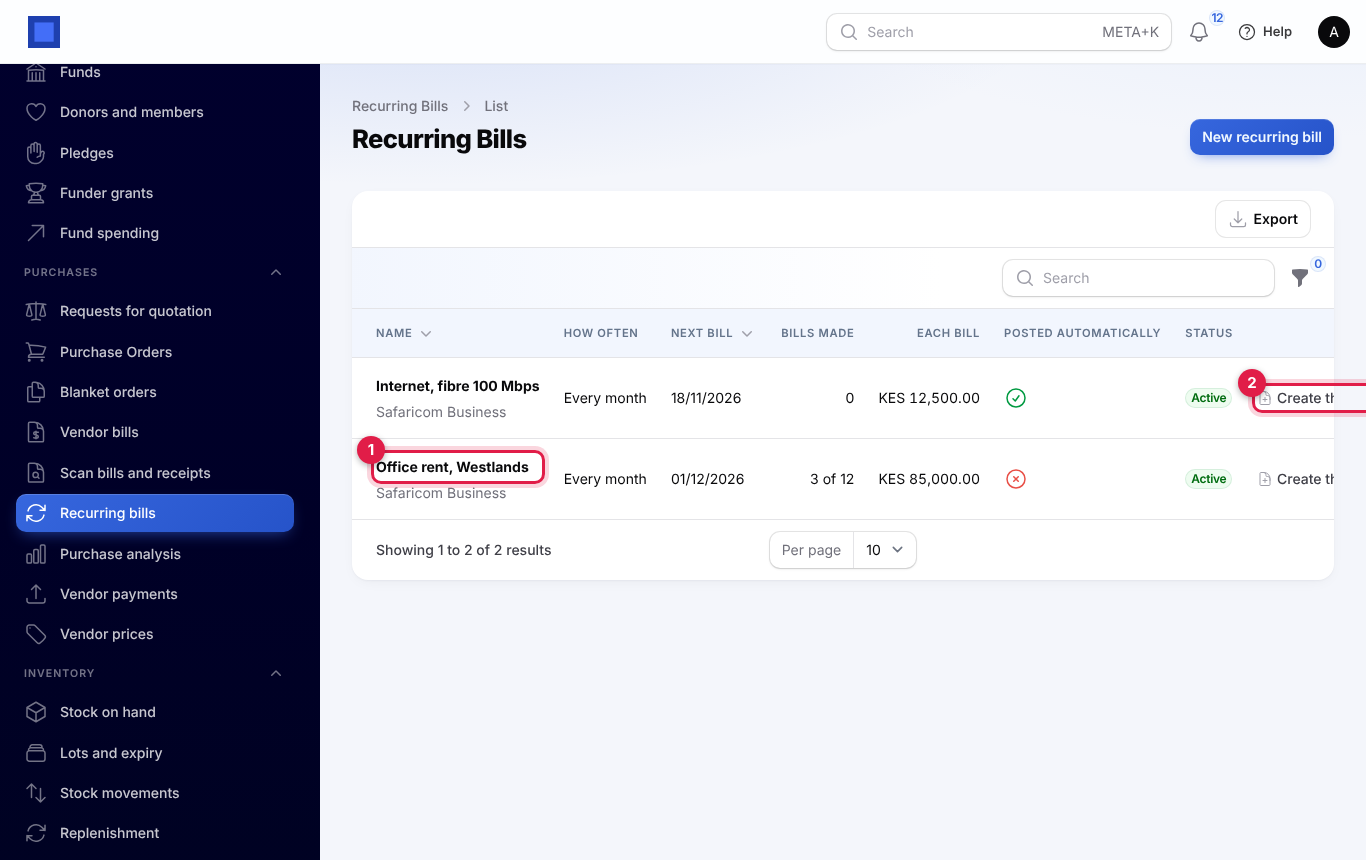
You will find them under Purchases → Recurring bills. The list shows each template with its vendor, how often it runs, the next bill date and how many bills it has made (marker 1). Create the next bill now makes one straight away (marker 2).
- Press New recurring bill. Choose the vendor, a name and a reference to put on each bill, and the currency.
- Add the lines as you would on a bill: product or description, quantity, price, tax and expense account.
- Under Schedule, choose How often (marker 1): weekly, monthly, quarterly, yearly or every few months. Then set:
- the date of the first bill;
- when to stop: a last date, or a number of bills.
- Switch on Post each bill automatically to post the bills as they are made. Otherwise they wait as drafts for someone to check. Bills over an approval rule's limit still wait for approval.
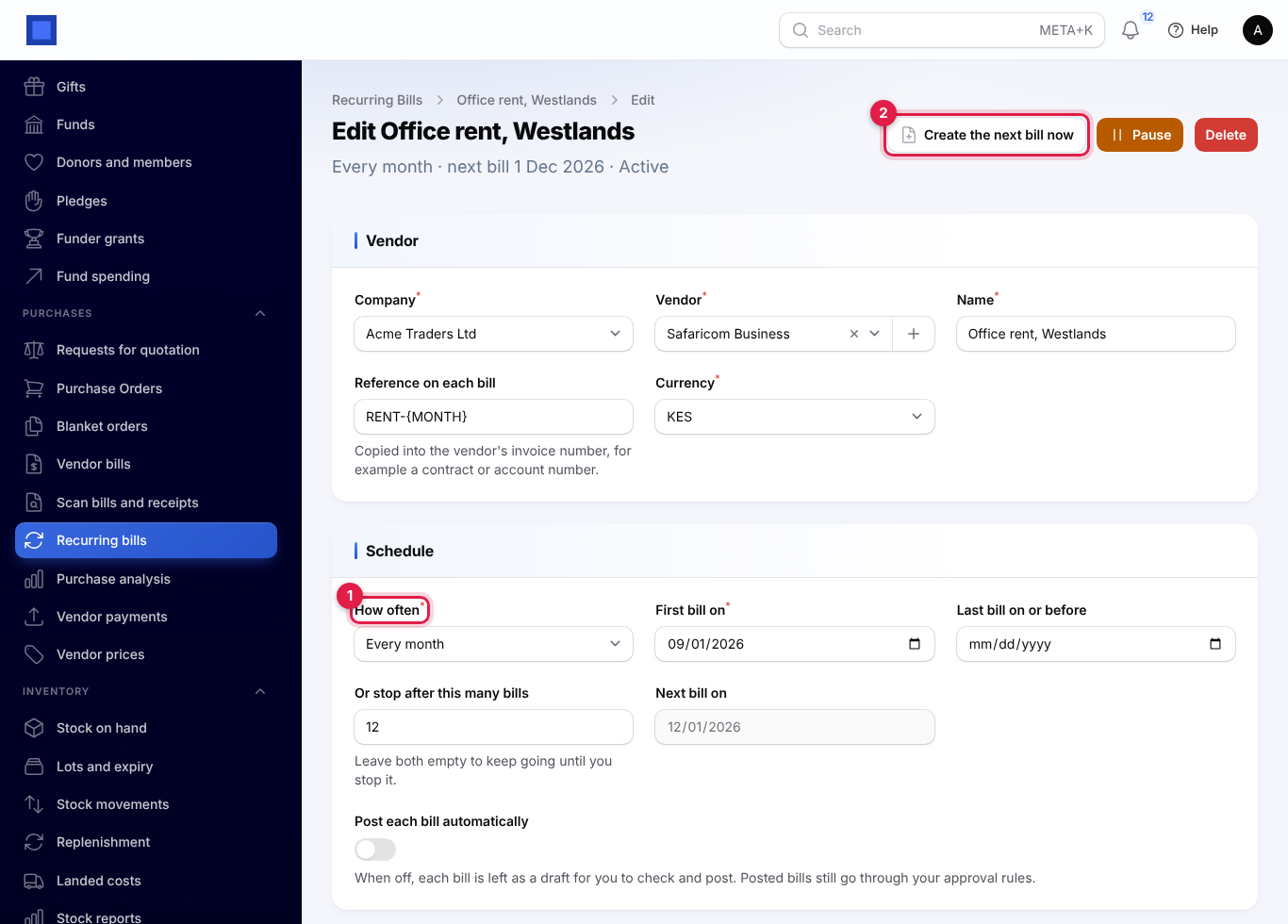
Each morning the due bills are made, the next date moves on, and people who manage purchases get one message listing them. Pause stops a template; Resume carries on from the next date after today. Each bill links back to the template that made it.
Petty cash
You will find it under Accounting → Petty cash. Create a box with a name, a custodian (the person who holds the cash), a float (the amount it should hold) and its currency. A ledger cash account is made for it if you do not choose one.
The box page shows:
- what is in the box and the float;
- how much is needed to top it up;
- what has been spent since the last top-up;
- a statement of movements with a running balance.
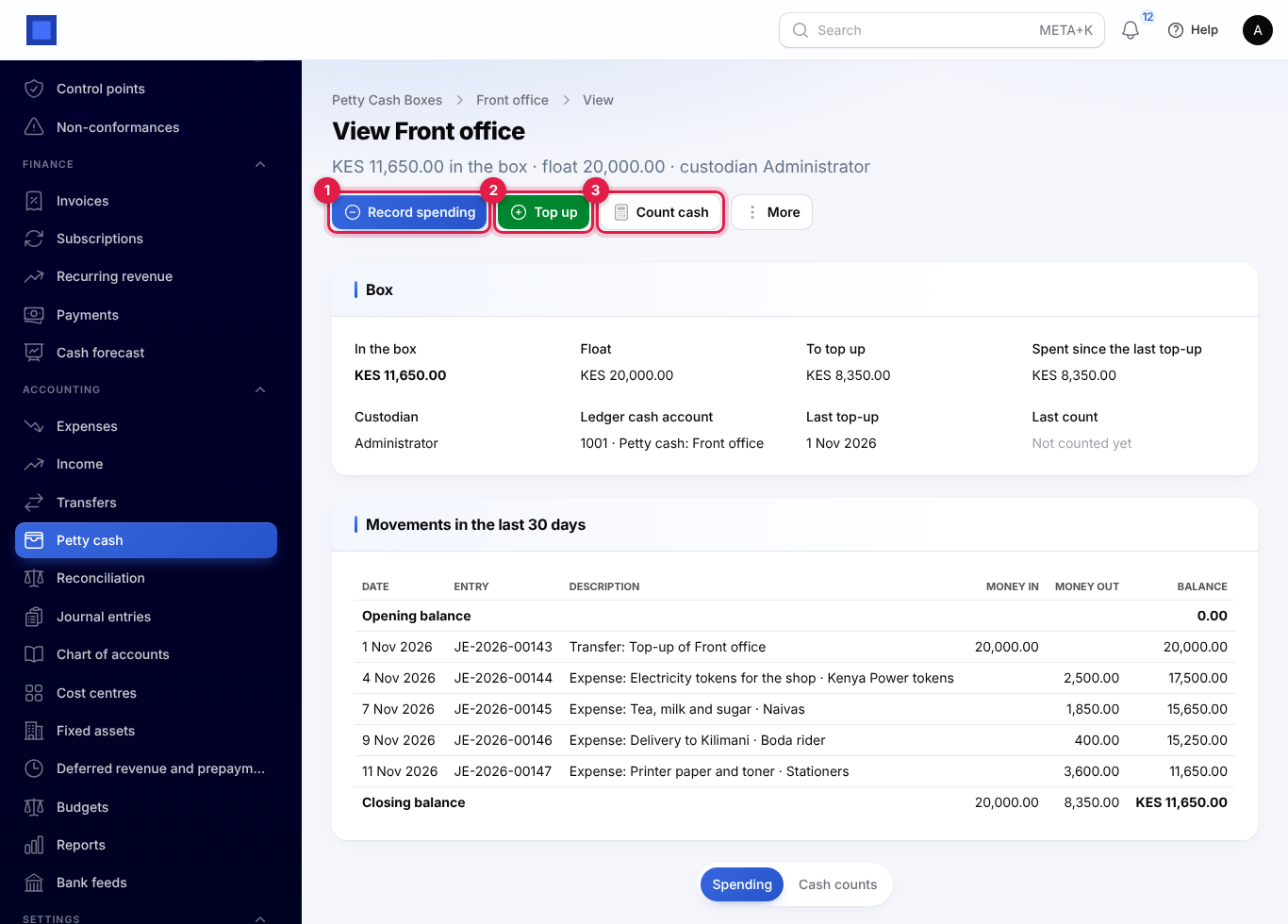
- Record spending (marker 1): date, who was paid, what for, the expense account, tax, amount and a photo of the receipt. It posts to the books like any expense, follows the same approval rules, and cannot spend more than the box holds.
- Top up (marker 2): move money in from the bank, cash or mobile money. The amount that brings the box back to its float is filled in for you.
- Count cash (marker 3): enter what you counted. The difference with the books shows as you type. A difference needs a reason and is posted to Cash over and short.
- More → Statement downloads the movements for any dates as a PDF or CSV.
The custodian can record spending in their own box without full Accounting access; topping up and counting need Accounting rights.